Skip to content

How to find your podcast's RSS feed link

Audio episodes usually finish in a few minutes. Or try it without an account

Every podcast has an RSS feed: the address apps read to get new episodes. CastKit reads it too.
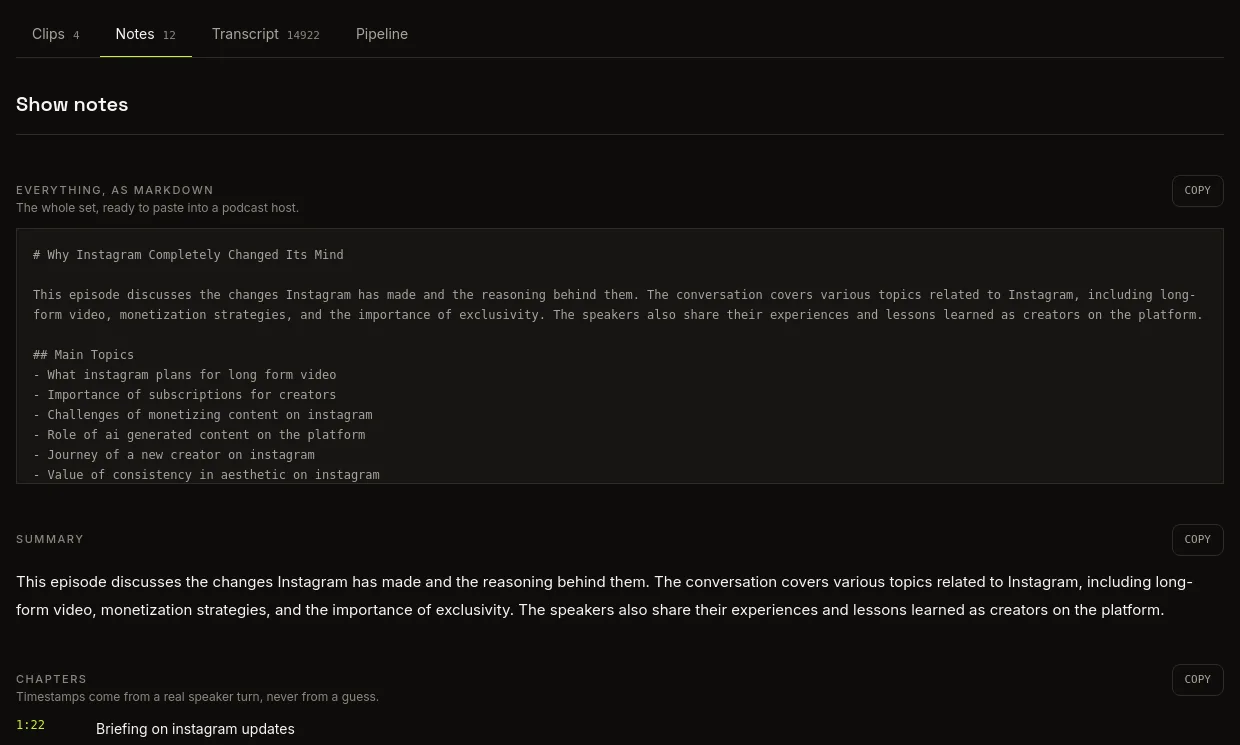
The CastKit show notes tab: the whole set as markdown, a summary and timestamped chapters, each with a copy button.

How CastKit does it

  1. Open your host

    The service where you upload episodes.

  2. Find the feed

    Usually under settings or distribution, called RSS feed.

  3. Copy it

    It often ends in .xml or /rss.

  4. Paste it in CastKit

    From a podcast feed in the box on Home, or Auto-import.

What this will not do

A private or premium feed with a personal key belongs only to you; paste your public feed.

Questions

Why a feed and not a page?
The feed lists every episode with its audio file.
Does CastKit change my feed?
No. It only reads it.
Artwork?
The audio card uses the artwork from the feed.

Try it on your own episode

Paste a link. The first episode runs the whole pipeline for nothing, needs no card, and exports every clip in 1080p with a small CastKit mark.

Audio episodes usually finish in a few minutes. Or try it without an account