Skip to content

A podcast show notes generator that has read the whole episode

Audio episodes usually finish in a few minutes. Or try it without an account

Show notes are the cheapest thing to produce once a transcript exists and the last thing anybody has time for. CastKit writes the summary, the chapters with timestamps, the notable quotes and the post drafts off the same transcript that produced your clips, in whatever language the episode was recorded in.
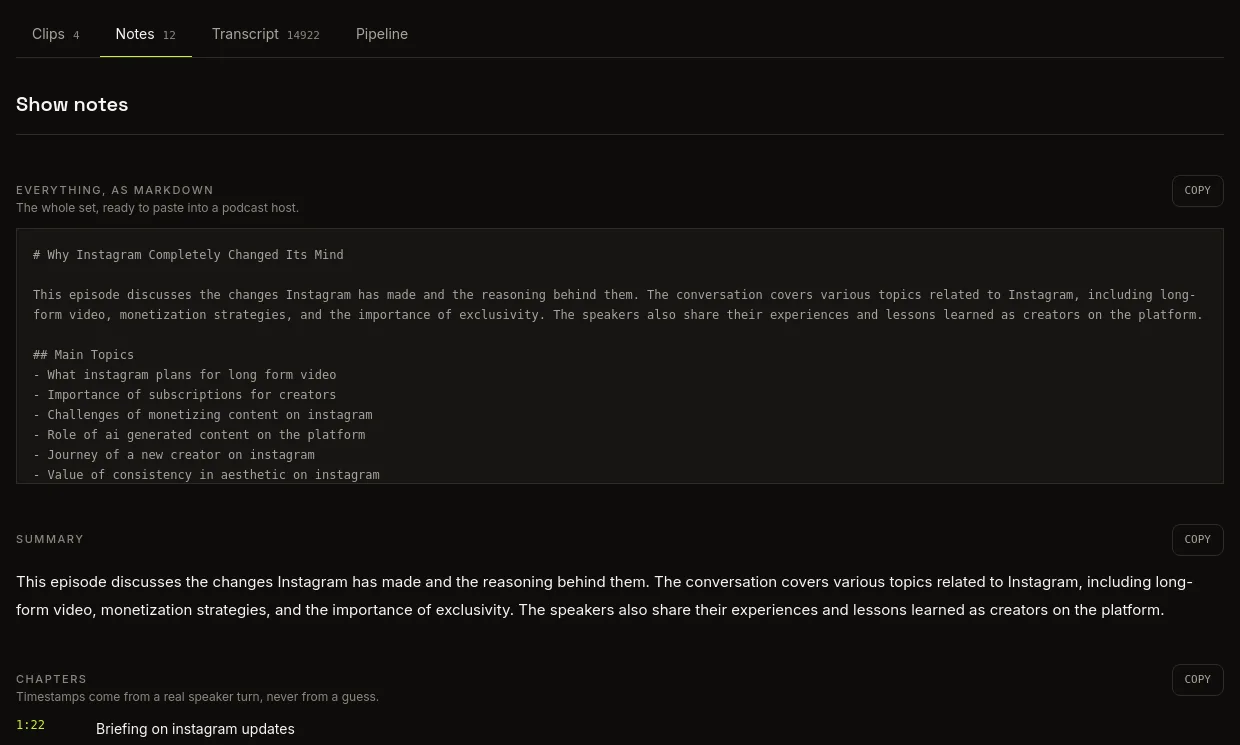
The CastKit show notes tab: the whole set as markdown, a summary and timestamped chapters, each with a copy button.

How CastKit does it

  1. The transcript comes first

    Nothing is written from a title or a description. The episode is transcribed end to end with speaker labels, and the writing pass reads that.

  2. Chapters are anchored to real turns

    Each chapter names the speaker turn it starts on, so its timestamp is a fact from the transcript rather than a plausible number. Ask a language model for milliseconds and it will invent them.

  3. The document is composed in code

    The model returns prose fields and CastKit assembles the markdown from them. That is why the headings are consistent, the bullets are real bullets, and a stray asterisk never reaches your page.

  4. Copy it out, or keep editing

    Everything lands in the notes tab beside the clips: summary, what the episode covers, chapters, quotes, three title options and drafts for X and LinkedIn.

What this will not do

These are drafts. The model writes to explicit length rules because without them a bullet comes back as a single word, and the social drafts still land shorter than we ask for. Read them before you publish them. CastKit also does not pull in the resources mentioned in the episode: it has the audio, not your browser history.

Questions

Does it work in languages other than English?
Yes. The writing pass is told the language the transcript came back in, so a French episode produces French chapters, French quotes and French headings. We have run this live in French and Ukrainian.
Can I regenerate the notes?
Yes, and it does not re-transcribe. The transcript is stored, so a second pass reads it from the database and costs a fraction of the first run.
Do I have to make clips to get the notes?
No. Both come out of the same run, so an episode you only wanted notes for produces clips anyway and you can ignore them.
What goes into the show notes?
A summary, a list of what the episode covers, chapters with timestamps, notable quotes, three title options, and drafts for X and LinkedIn. All of it sits in the notes tab beside the clips, ready to copy.
Which podcast hosts does it work with?
Any host with an episode description field. Copy the notes out of the notes tab and paste them into your host, your website or your newsletter. Spotify and YouTube read timestamps in an episode description as chapters.
Can I start from a link instead of a file?
Yes. Paste the show's RSS feed and pick an episode, or a YouTube link, a podcast host link or a direct MP3. A file from your computer works too.

Try it on your own episode

Paste a link. The first episode runs the whole pipeline for nothing, needs no card, and exports every clip in 1080p with a small CastKit mark.

Audio episodes usually finish in a few minutes. Or try it without an account