Skip to content

Why chapters help a long episode

Audio episodes usually finish in a few minutes. Or try it without an account

Chapters split an episode into named parts. Listeners skip to what interests them instead of leaving.
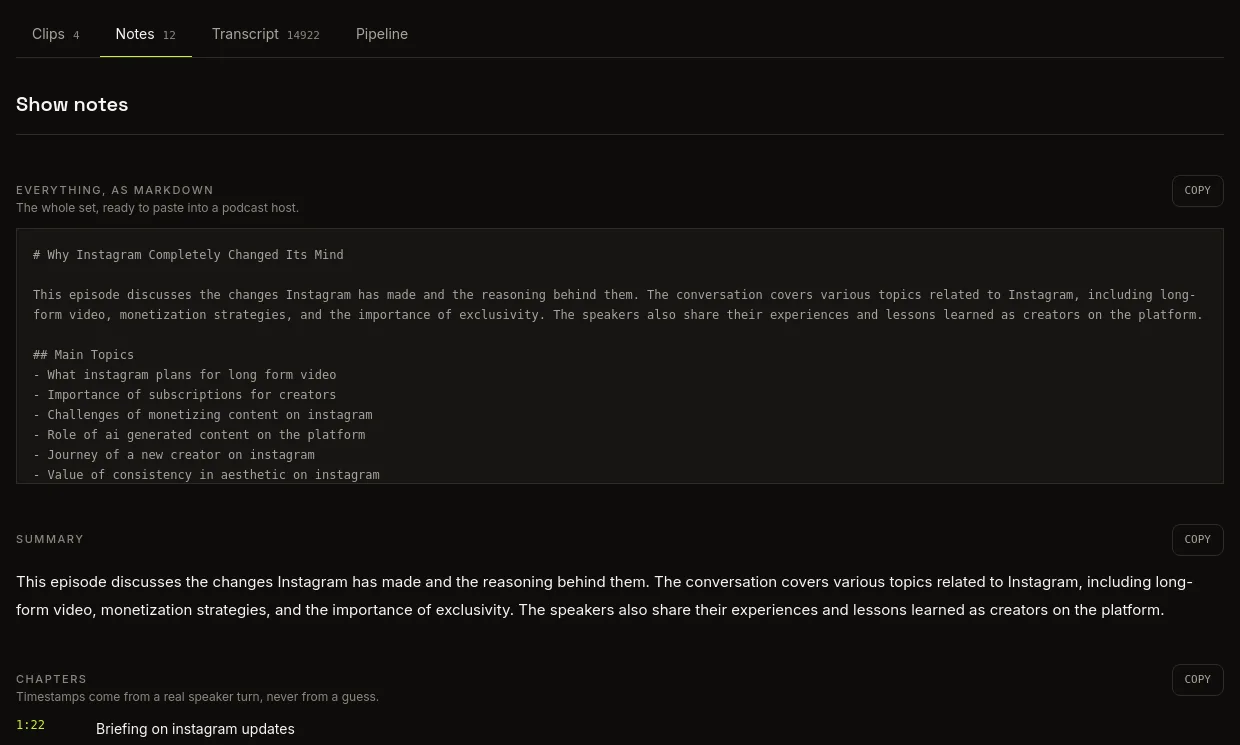
The CastKit show notes tab: the whole set as markdown, a summary and timestamped chapters, each with a copy button.

How CastKit does it

  1. Name the parts

    Each chapter says what it is about.

  2. Start at real turns

    A chapter should begin where the topic begins.

  3. Keep them few

    A chapter per real topic, not per minute.

  4. In CastKit

    Chapters on the Notes tab, with timestamps from real speaker turns.

What this will not do

CastKit does not invent chapters to reach a count; a short episode may get only a few.

Questions

Do they work on audio podcasts?
Many podcast apps show chapters from the description or file.
Can I edit them?
Copy them and edit where you paste.
How many is right?
As many as there are topics.

Try it on your own episode

Paste a link. The first episode runs the whole pipeline for nothing, needs no card, and exports every clip in 1080p with a small CastKit mark.

Audio episodes usually finish in a few minutes. Or try it without an account