Skip to content

How to use the show notes, titles and post drafts

Audio episodes usually finish in a few minutes. Or try it without an account

Every episode gets a set of notes written from the full transcript, in the same run as the clips. Copy what you need for your episode page, newsletter and social posts.
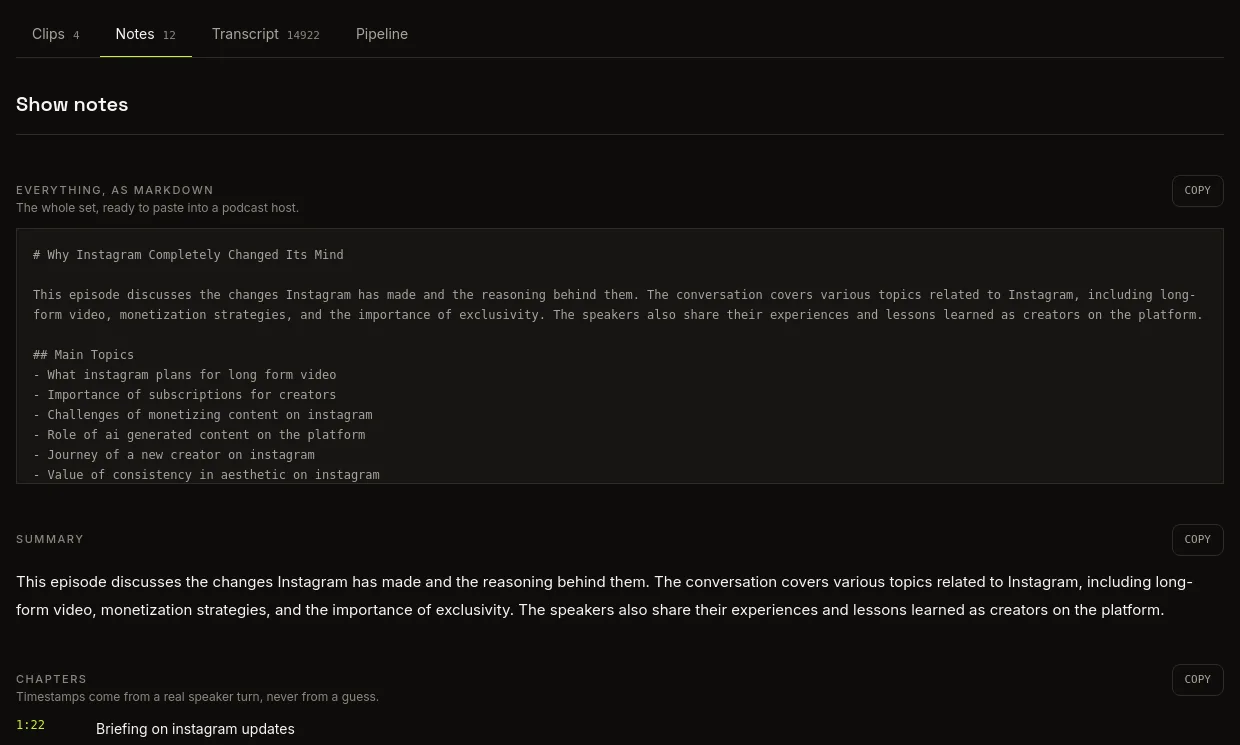
The CastKit show notes tab: the whole set as markdown, a summary and timestamped chapters, each with a copy button.

How CastKit does it

  1. Open Show notes

    On the episode page, open the Show notes tab.

  2. Copy the summary and chapters

    Chapters come with timestamps in the format YouTube descriptions and podcast apps expect.

  3. Pick a title

    Three title options name something specific from the episode. Use one, or start from it.

  4. Use the post drafts

    X and LinkedIn drafts and pull quotes are ready to copy. The planner under Calendar keeps track of what you post.

What this will not do

The notes follow the transcript, so a misheard name can appear in them: read before you publish. CastKit does not check search volume for titles. Posting directly to social platforms is not available yet.

Questions

Can I download the notes?
Copy each part from the Show notes tab, where every section has its own copy button or can be selected.
Are the quotes exact?
They are taken from the transcript, so they are what the speech engine heard.
Which languages?
Notes are written for episodes in any of the 99 plus transcript languages.

Try it on your own episode

Paste a link. The first episode runs the whole pipeline for nothing, needs no card, and exports every clip in 1080p with a small CastKit mark.

Audio episodes usually finish in a few minutes. Or try it without an account