Skip to content

Pull the quotable lines out of a podcast episode

Audio episodes usually finish in a few minutes. Or try it without an account

Every episode has three or four lines that carry it, and finding them means listening to the whole thing again. CastKit reads the transcript and returns the notable quotes verbatim, with the speaker attached, in the same pass that writes your show notes.
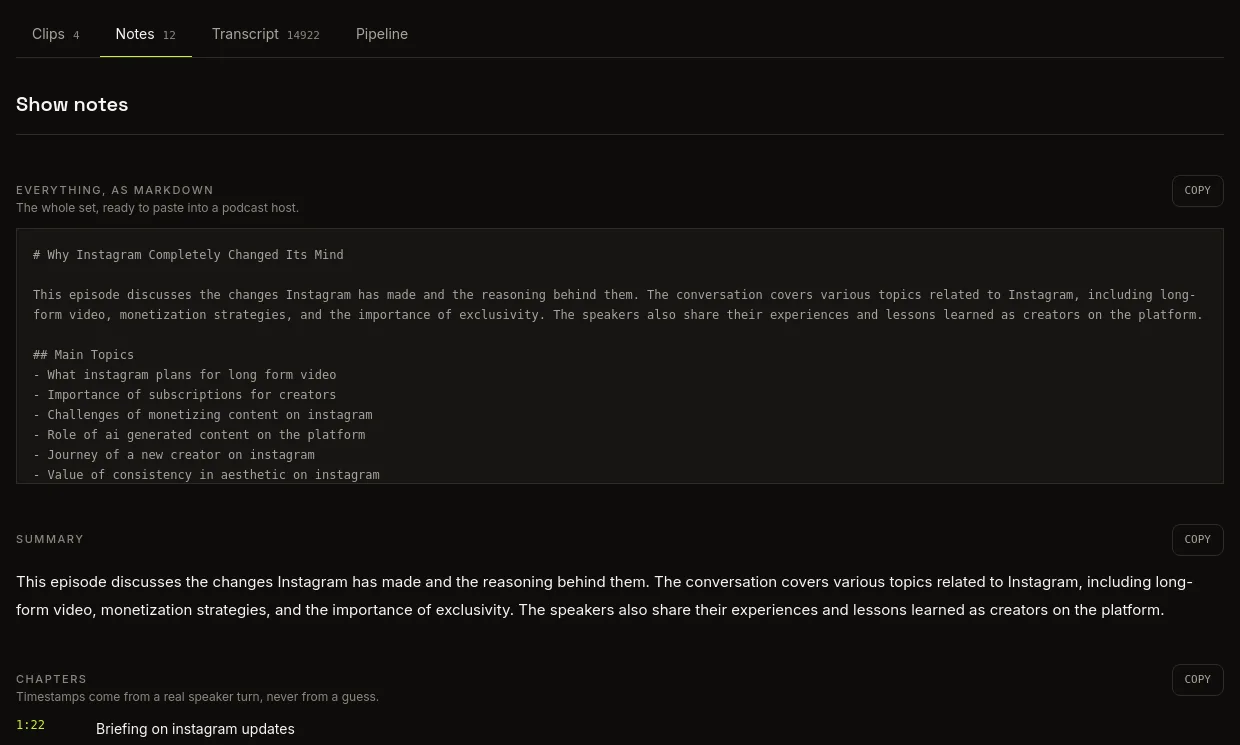
The CastKit show notes tab: the whole set as markdown, a summary and timestamped chapters, each with a copy button.

How CastKit does it

  1. It reads the transcript, not a summary

    Quotes are selected from the words the speech engine returned, so what comes back is what was said rather than a paraphrase that reads better.

  2. Attributed, where speakers were labelled

    Diarization runs on every episode, so a quote from a two person conversation knows which of them said it.

  3. Beside the clips, not instead of them

    A good quote is usually a good clip. The moments the ranker picked and the lines the writer pulled sit in the same workspace, so you can check one against the other.

  4. Ready to paste

    They land in the notes tab as text, formatted for a show page, a newsletter or a graphic.

What this will not do

This is a language model choosing lines it finds striking, not a measurement of what an audience will react to. It is also worth reading them against the transcript before you publish: the model occasionally reaches for a sentence from the middle of a passage rather than the line that opens it.

Questions

How many quotes do I get?
A handful per episode, sized to what the episode actually contains rather than to a fixed number.
Are the quotes exact?
They are taken from the transcript, so they are as exact as the transcription. Check anything you are about to put on a graphic with somebody's name under it.
Can I get a clip of a quote?
If the ranker also picked that moment, yes, it is already a clip. If not, you can trim an existing clip to it in the editor.

Try it on your own episode

Paste a link. The first episode runs the whole pipeline for nothing, needs no card, and exports every clip in 1080p with a small CastKit mark.

Audio episodes usually finish in a few minutes. Or try it without an account